
Workflow automation for clinics and hospitals

SofTx builds the software behind the schedule, the phone line, the intake form and the requisition: systems that do recurring admin work so clinical staff do not have to. Below is what that looks like, with examples you can try.

What it covers
Scheduling, patient intake, documents and meeting follow-up
Connects to
RIS, EHR, booking and calendar systems
How it deploys
One workflow at a time, beside what you already run
Controls
Access by role, with an audit trail

Most admin work is the same task, done again.

The same shift rules applied by hand every month. The same patient details typed into a second system. The same requisition read by three people. We automate that work one task at a time, and we do it without replacing the systems around it.

What gets automated

Four tasks most clinics still do by hand, each with a working example from a system we built.

ShiftPilot

The schedule, built from your rules

Scheduling by hand creates conflicts, coverage gaps and uneven workloads. A solver builds the month from the group's rules, credentials and availability, and the scheduler reviews the draft before it is published.

  • Hard and soft rulesEach rule is marked as one that must hold or one to aim for, so the solver knows what it may trade.
  • Swaps and open shiftsA shift can be given away, traded or claimed from a pool, and the rules are checked again each time.
  • Reminders that escalateWhatsApp, SMS, email or push, with a voice wake-up call when one is needed.
One week, one site
How the week was built
The week as filled in by hand
ShiftMonTueWedThuFriSatSun
DayAKBMAKCR, no rest after a night shiftBMDSDS
EveningCRDSOpen, nobody assignedBMELELOpen, nobody assigned
NightELELCRDSAKCRCR
2 open shifts1 rest conflictInitials are five sample radiologists.
The group's rules
Every shift is coveredMust hold. 2 shifts open
No day shift after a nightMust hold. 1 conflict on Thursday
Credentialed for the siteMust hold. Everyone assigned is
Weekend shared by the groupAim for. 3 of 5 people carry it

Switch between the week filled in by hand and the week built from the rules.
Clinic Front Desk AI

A phone line that books the visit

A voice receptionist answers the clinic's line, confirms who is calling, and books, moves or cancels the visit. It takes a message or hands the call to staff when it should.

  • Connected to the EMRBookings are written to the EMR and visits are read back, over FHIR.
  • Faxes and uploads, readIncoming documents are matched to a likely patient. A person files them into the chart.
  • Reminders both waysTexts and emails go out on a schedule, and a reply becomes a task for staff.
Clinic phone lineOn a call
What it did
Confirmed the caller by date of birth and last name
Found Thursday's visit in the EMR
Moved the visit to Monday at 10:15
Sent a text to confirm

Staff can take over the call at any point. A phone number alone never confirms a caller.

A sample call with a made-up patient. The list on the right fills in as the receptionist works.

Intake formSample pathway
The patient answers
Is this your first visit to the clinic?
Any pain in the last week?
Follow-up that is scheduled
Reminder two days before the visit
Text
Directions and what to bring
Email
Task for a nurse to call before the visit
Not needed
Check-in form one week after
Text

Pathway Forms

Intake that sets the follow-up

Intake and follow-up are often manual and inconsistent. Each patient pathway gets validated forms, the follow-up is sent automatically, and the answers come out as data that is ready for reporting.

RequisitionSample requisition

Please perform CT head without contrast. 78-year-old, fall at home tonight, on warfarin, brief loss of consciousness. Query intracranial bleed. Urgent, patient is in emergency, bed 12.

Read from it

RadBrief

Requisitions read before the study

Radiologists and coordinators lose time reading tech sheets and requisitions. The document is read, the fields that matter are extracted, and a short structured summary is ready before the study is opened.

The examples are working sketches with sample data. They show what each system does; they are not the product screens.

Workflow systems we have built

Each one replaced a manual process that a clinic or operations team had outgrown. The case studies have the detail.

  • ShiftPilot

    About 50 radiologists, about 23 hospital sites

    Shift scheduling for healthcare teams that keeps every rule.

  • Clinic Front Desk AI

    For Canadian clinics

    A phone receptionist and office assistant for medical clinics.

  • Pathway Forms

    Digital intake and structured follow-up for regulated care.

  • NotionIQ

    Meeting transcription that turns decisions into assigned actions.

The screens shown are illustrations with sample data, not screenshots.

Also built, for a single clinic, program or partner

  • Built with 16 Bit

    Scan-to-intake at the clinic

    A poster with a QR code starts the whole flow. Patients aged 50 and over scan it, complete intake and payment on their phone, and receive a bone health report after the X-ray they were already booked for.

  • Rho clinical forms

    Clinical forms that pass a privacy review

    A reusable intake and consent system for research and clinical programs, designed for PIPEDA: encrypted storage, access by role, and an audit log behind every record.

  • Built for Radiology Experts

    Requisitions turned into data

    A parsing pipeline that reads PDFs and their linked imaging context and outputs structured fields, so coordinators stop re-typing what is already on the page.

How it fits your operation

What operations and IT leads ask before anything is installed.

The systems it talks to

Information is entered once and arrives where it is needed. We connect through the interfaces your systems already offer, and patient follow-up goes out by text and email.

  • RIS
  • EHR and EMR
  • Booking and calendars
  • APIs, HL7 and FHIR
  • Text and email
  • Spreadsheets
How it deploys
One workflow at a time, beside the systems you already run. Nothing has to be replaced first.
Who stays in control
Your staff. A generated schedule can be reviewed and overridden, and extracted data can be checked before it moves on.
Access and audit
Access is granted by role, and changes are logged so a manager can see who did what.
Privacy
Systems that hold patient information are designed for PIPEDA, and can run on your own servers or in secure cloud.

Weighing documentation tools as well? Read the AI medical scribe buying guide.

How a rollout runs

Four stages. The first one is the one most projects skip.

  1. 1

    Capture how the work is done

    We write down the real rules with the people who apply them: coverage requirements, intake questions, who approves what. Most of it has never been written down before.

  2. 2

    Design the workflow

    The automation is built to match how the team already works, with the review and override points they ask for.

  3. 3

    Connect the systems

    We link it to your calendars, RIS, EHR and messaging tools, so information is entered once and arrives where it is needed.

  4. 4

    Roll out with reporting

    The system goes live with access controls, an audit trail and reports, so managers can see what changed and extend it with confidence.

Who you work with

The people who map your workflow are the people who build the software.

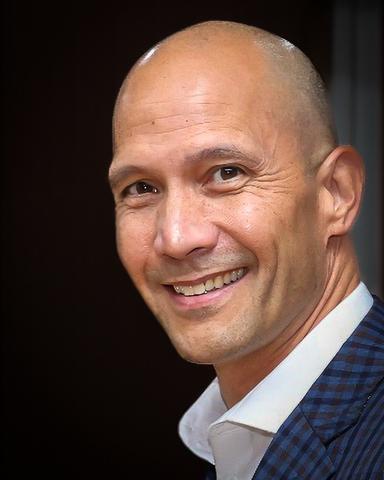
  • Pascal Tyrrell, Co-Founder & CEO

    Pascal Tyrrell

    Co-Founder & CEO

    Director of Data Science in the University of Toronto's Department of Medical Imaging.

  • Ali Geramy, Co-Founder & CTO

    Ali Geramy

    Co-Founder & CTO

    Leads technical strategy and product development across SofTx's AI and clinical software.

SofTx is founder-led: the people who scope your project are the people who build it. Read about the founders.

Workflow automation questions

Short answers to what operations leads ask on a first call.

What does healthcare workflow automation cover?

The recurring operational work that takes staff hours: shift scheduling, patient intake and follow-up, reading and re-keying documents, and chasing actions after meetings. Each system is deployed on its own and connects to what you already run.

Can it replace our spreadsheet-based radiology scheduling?

Yes. That is what ShiftPilot was built for. It captures your coverage rules and staff constraints, generates the schedule, and leaves review and overrides with the person in charge.

How does digital intake connect to our existing systems?

Intake forms capture structured data with validation rules, then pass it on through APIs or HL7 and FHIR exports. Follow-ups are sent by SMS or email and tracked to completion.

Can you automate data entry from PDFs, faxes and requisitions?

Yes. Documents are ingested, the fields that matter are extracted and checked, and structured output goes to the next system, so staff stop typing the same information twice.

Is patient information protected?

Systems that handle patient data are designed for PIPEDA, with access by role, audit logging and the choice of running on your own servers or in secure cloud.

How do teams adopt this without disrupting operations?

One workflow at a time. We map how the work is done today, build the automation to match it, connect it to your systems, and roll it out with reporting so managers can see what changed.

Which task would you hand over first?

Tell us which task eats the most hours. We will map it with you and show you what automation would remove.

We reply within one to two business days.